Orchard is a Mac menu bar app that keeps track of your Mac’s health all year and, when a new macOS arrives, tells you whether your Mac is ready for it: Safe, Caution, or Wait, with the supporting reasons provided.
Coming to the Mac App Store on November 17, 2026
The zip holds the fact sheet, the reviewer's guide, the sample Report, the app icon, a photo of the developer, the eight App Store screenshots with their captions (2880×1800), and the app screens cropped from them at full resolution.
At a glance
| Name | Orchard |
|---|---|
| Developer | Horizon Ledge Software LLC |
| Release date | November 17, 2026 |
| Requires | macOS 14.6 or later, Apple silicon and Intel |
| Price | Auto-renewing subscriptions from $14.99 a year, purchased in the app. See Plans. |
| App Store | apps.apple.com/app/id6810678327 |
| Website | theorchard.app |
| Press contact | press@theorchard.app |
The story
Every fall Apple ships a new macOS, and whoever looks after the family’s Macs gets the same question: should I install it? The honest answer depends on things only that Mac knows. Does Apple support the model on the new release? Is there room for the installer? Do the apps this person relies on work yet?
Orchard watches for those things from the menu bar and answers with its reasons. It grew out of developer Jeff Lynch being that family helper for decades, and never being able to answer without sitting in front of the Mac.
What it does
The upgrade answer
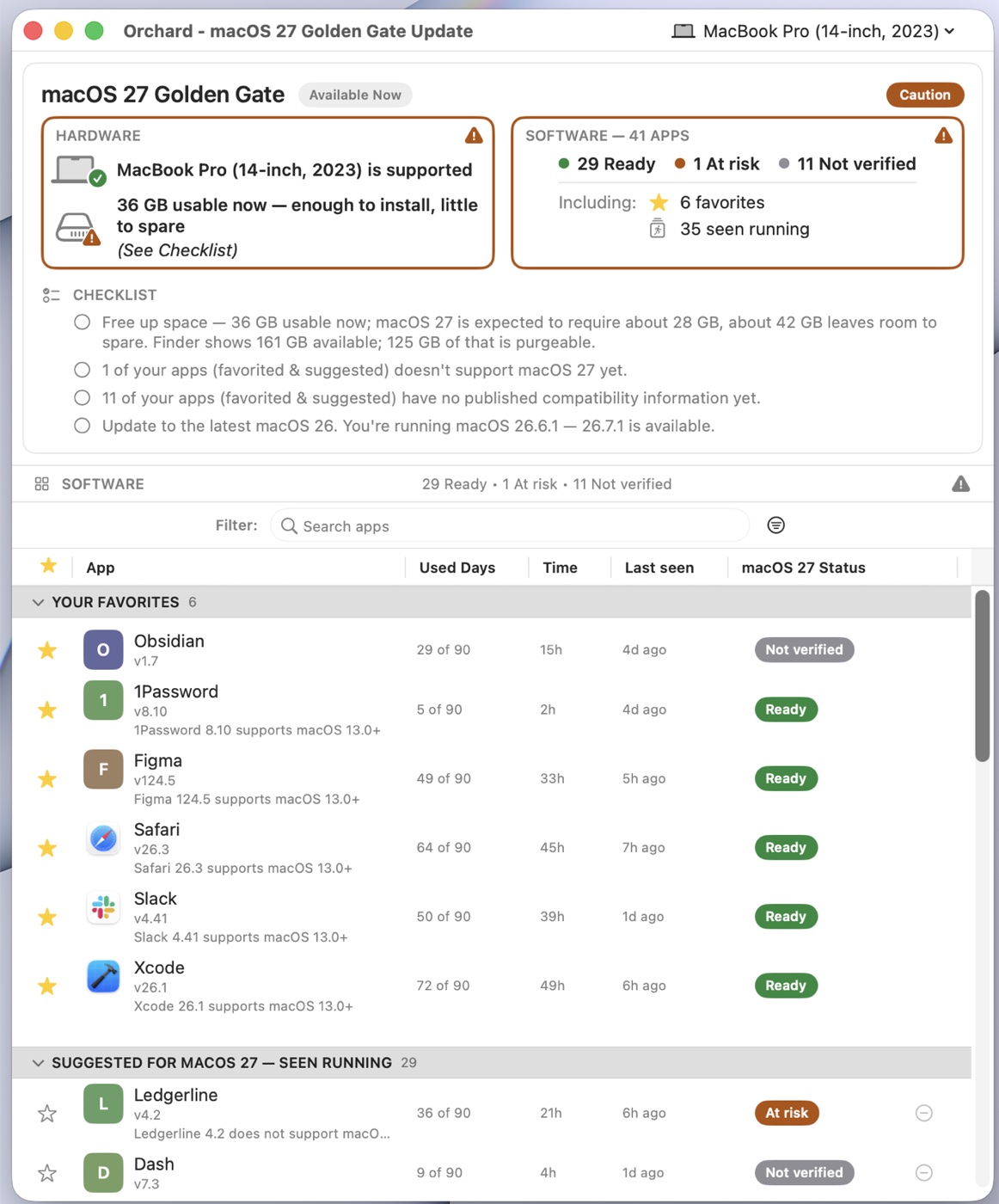
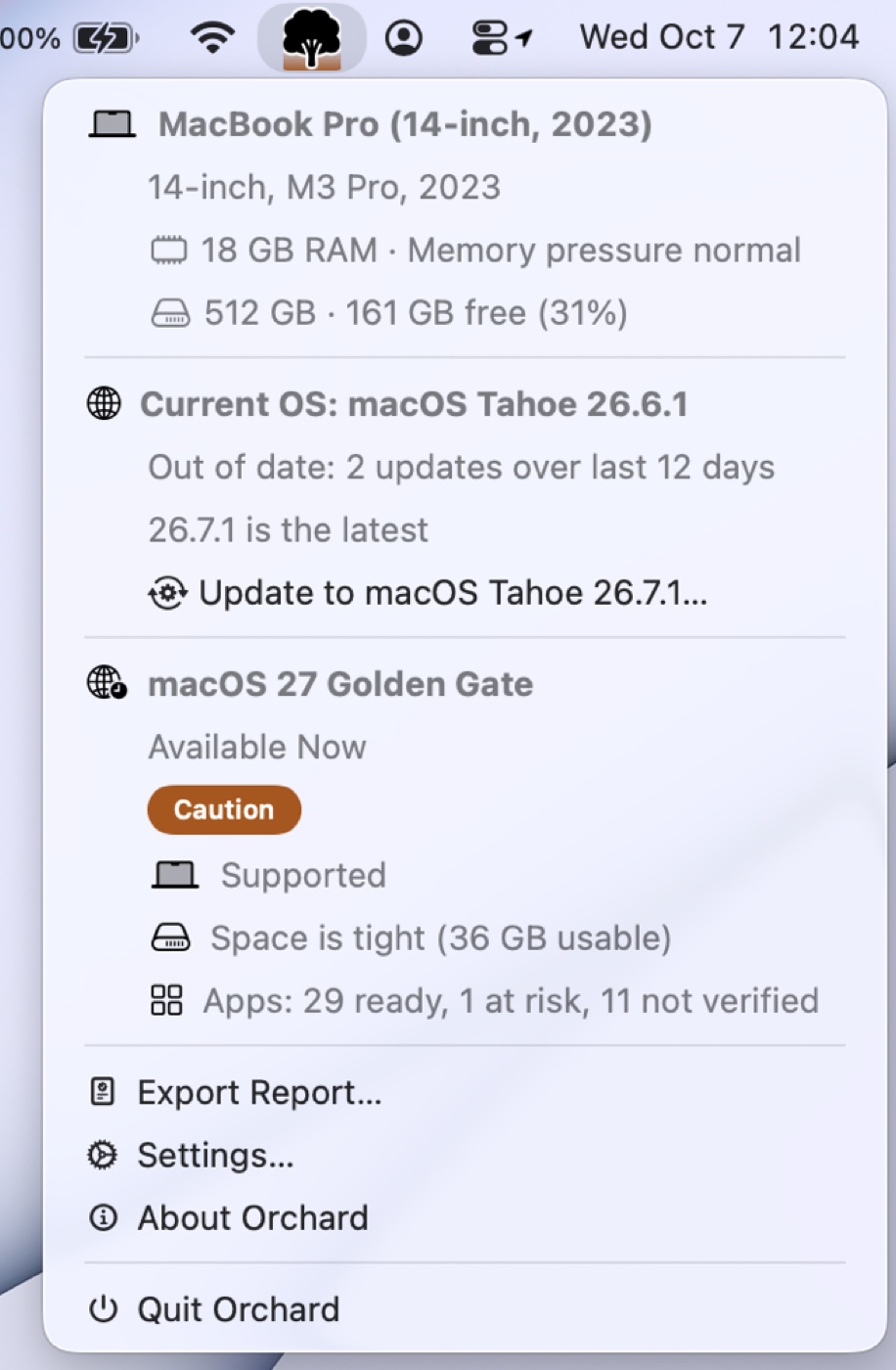
For the next macOS your Mac can run, Orchard gives a verdict of Safe, Caution, or Wait. It weighs whether Apple supports your Mac’s model on that release, the disk space the installer can use, and your apps. A favorite that won’t work on the new release means Wait; an app Orchard has seen you running that won’t work means Caution. The Upgrade window lays it out as a checklist: space to free up, apps that don’t support the release yet or have no compatibility information, and any update waiting for your current macOS.
No guessing
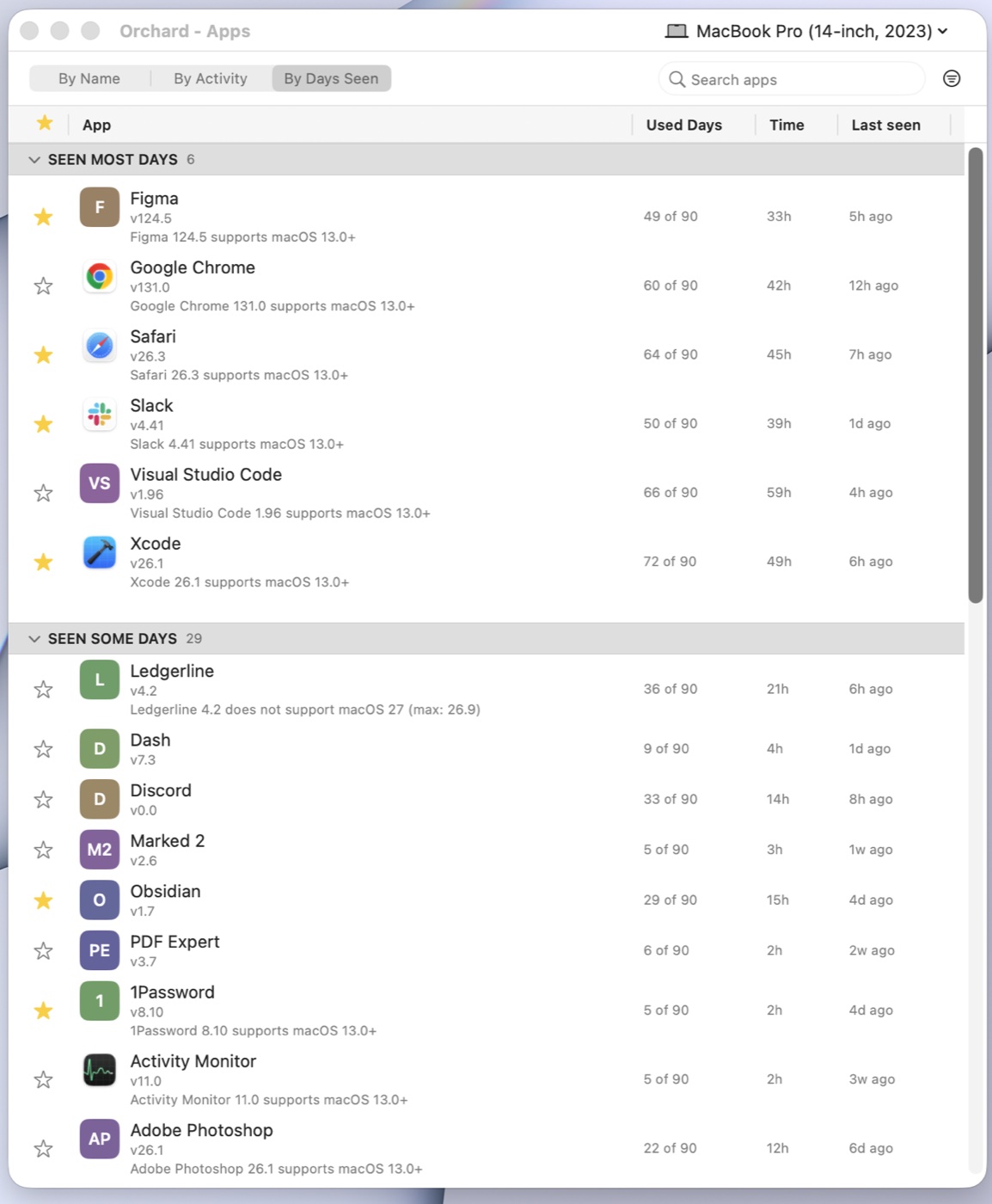
Compatibility comes from a curated feed built from what developers have published, which Orchard checks daily. Apps without an entry are marked “Not verified,” and Orchard won’t show Safe until your apps are covered. You can ask for any app to be checked from inside Orchard.
Year-round health
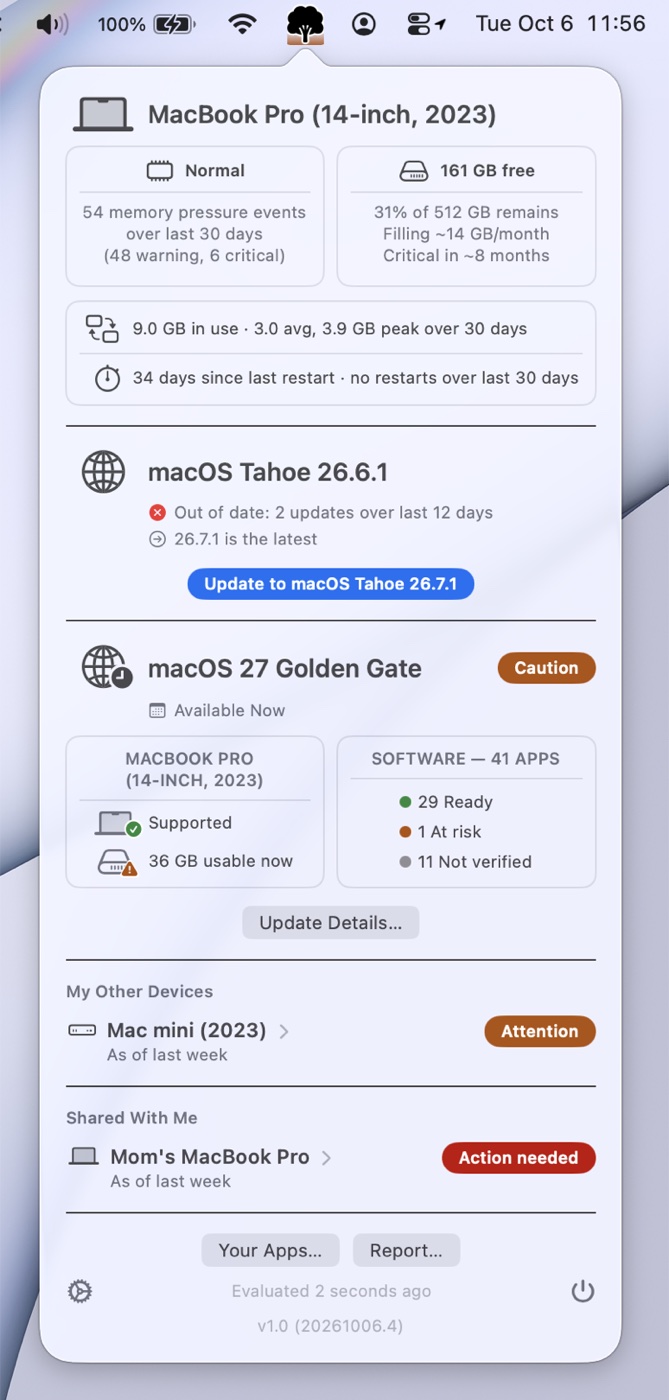
Memory, storage, and macOS status at a glance, including how often memory ran short, how often the Mac restarted, and which way free disk space has been trending over the last 30 days. The Apps window lists the apps on your Mac and how often Orchard has seen each one running.
The Orchard Report
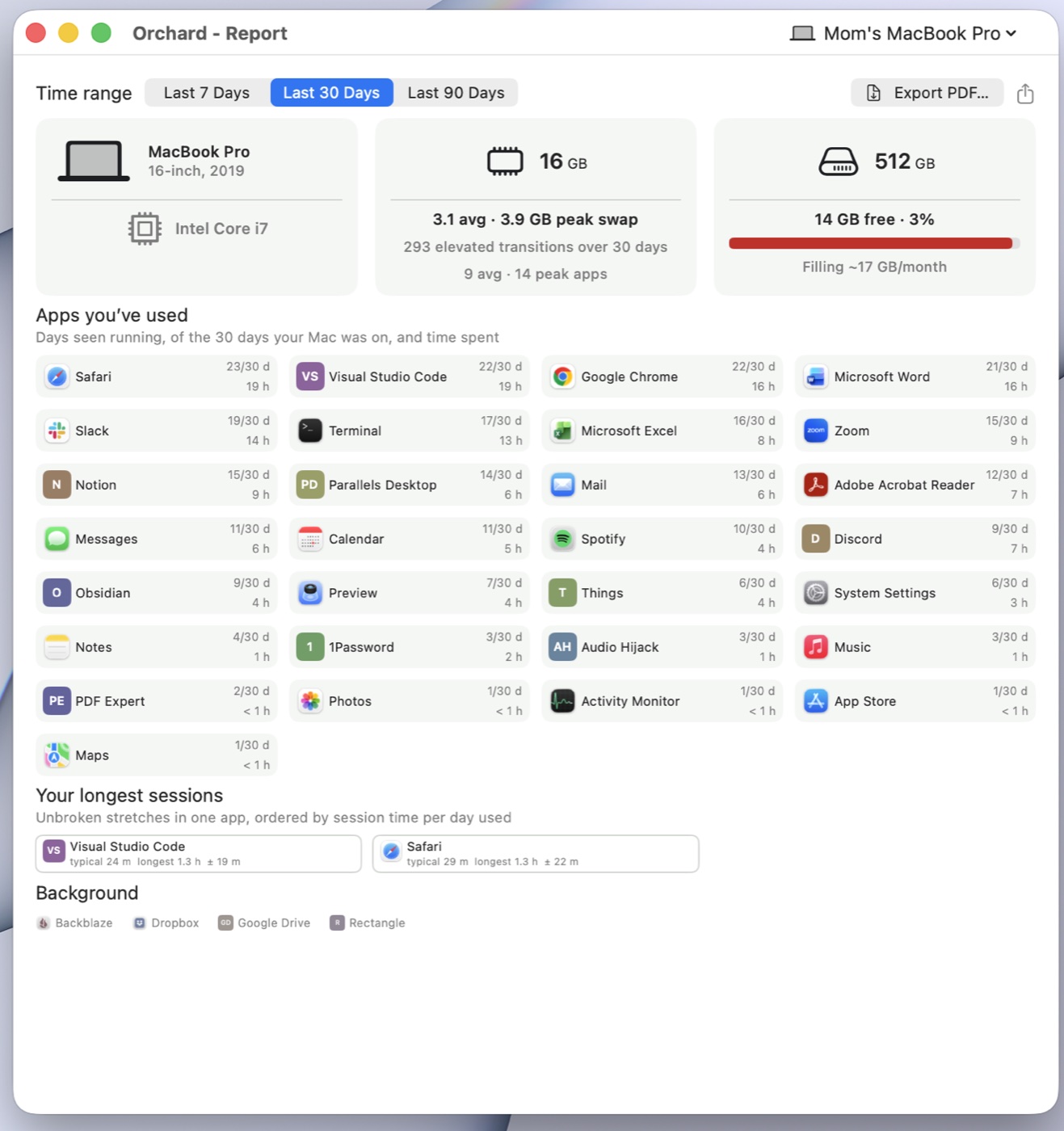
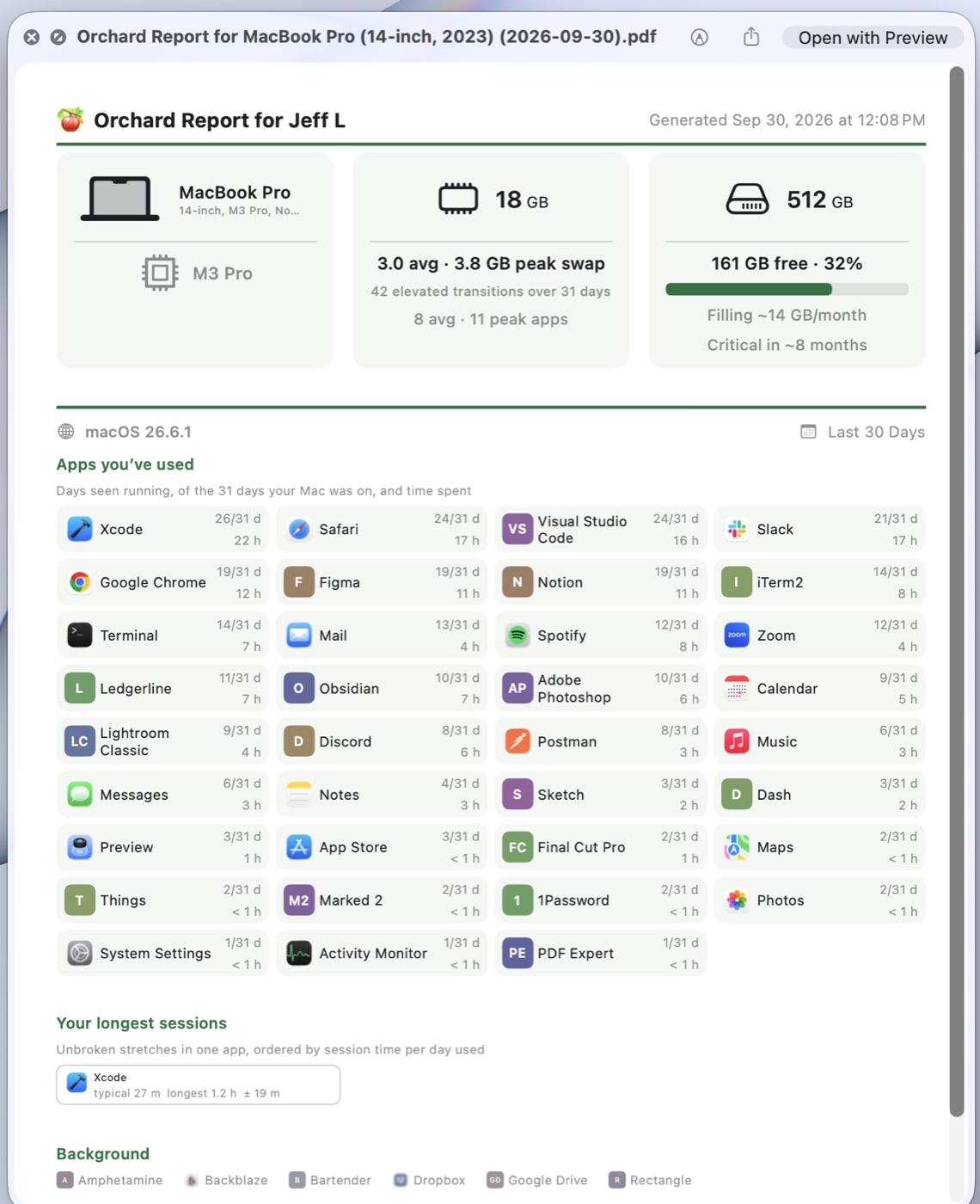
A one-page PDF of memory, storage, and the apps you’ve used over the last 7, 30, or 90 days. It states what Orchard measured and carries no verdict, so it’s useful to a helper, at the Genius Bar, or when you’re shopping for a new Mac.
A helper who can see it
Invite the person who helps you with your Mac to see a summary of its health from Orchard on their own Mac. Sharing is invite-only and read-only, runs over iCloud, and can be revoked at any time. No screen sharing, no shared passwords.
Privacy
The detailed record Orchard keeps stays on your Mac. When your Mac is signed in to iCloud, a summary syncs privately through your own iCloud account. Horizon Ledge runs no server that receives your data, and Orchard contains no advertising, analytics, or crash-reporting SDKs. It’s fully sandboxed and sold only on the Mac App Store.
Plans
Orchard requires one of these auto-renewing subscriptions, purchased in the app.
Individual
$29.99 a year
Founding-member rate for the first 500 annual subscribers, kept for as long as you stay subscribed.
The full app for your own Macs, including the Apps, Upgrade, and Report windows, plus viewing up to 10 Macs other people share with you.
Pro
$99.99 a year
Everything in Individual, with room to view up to 100 shared Macs.
Monitor
$14.99 a year
For a Mac someone else helps look after. Your Mac's status, including its upgrade verdict, appears in a menu, and you can share your Mac with your helper and export the Orchard Report.
Individual and Pro include a 30-day free trial for eligible new subscribers.
Screenshots
About the developer

Jeff Lynch has been building software for Apple platforms for over 30 years. He co-founded The Battery Project, LLC in 2009, which shipped FruitJuice, a battery health and maintenance app, available in the Mac App Store from late 2013 through 2021. Jeff left his Mobile Engineering Manager role at The Athletic (a New York Times Company) in July 2026 to once again pursue indie developer life. He founded Horizon Ledge Software LLC to build Orchard.
What’s next
An iOS app, planned for early 2027. The helper side comes to iOS: the person who looks after a family member’s Mac will be able to see its health and upgrade verdict there too, through the same private iCloud share.
More of your Apple devices. Orchard already has a place in its database for every kind of Apple device and the history of what OS each one has run. At launch only the Mac fills in its own entry; the iOS app starts filling in the rest.
Wider compatibility coverage. The compatibility feed grows as developers publish support for macOS 27 and as users ask for apps to be checked. Longer term, the goal is for app developers to keep their own entries current, since a clear answer before release day is what keeps their support queues quiet every September.
Help that knows your setup. The long-term direction, and mostly foundation today: using what Orchard knows about your devices and the OS versions they run to find answers to support questions that actually apply to you, instead of generic or outdated ones.
Contact
Press questions, review access, and interview requests: press@theorchard.app.